
Common KOMOJU Features on Shopify
Overview
Now that you’ve set up the KOMOJU plugin and understand how orders flow through the system, it’s time to explore some commonly used features you might want to configure before going live.
This article covers two account-level features that give you control over your checkout experience and inventory management. You’ll learn what each feature does and when you might want to enable it for your merchant’s store.
Prerequisites
- Completed Part 1: Getting Started with KOMOJU on Shopify and Part 2: Understanding KOMOJU Orders on Shopify.
- Access to both your KOMOJU dashboard and Shopify admin panel.
- Familiarity with navigating both the Shopify platform and KOMOJU dashboard.
Skip the KOMOJU Order Completion Page
This feature allows you to bypass KOMOJU’s default order completion page after customers complete payment.
Normally the kOMOJU order completion page will be shown prior to the thank you page from Shopify when completing an order.

Skipping the KOMOJU order page can help streamline your checkout experience as well as allow you to better utilize analytical tools to measure checkout completion rates.
Once enabled, this setting removes the intermediate completion page that normally appears after customers finish payment on KOMOJU. Customers proceed directly to Shopify’s thank you page without this additional step.
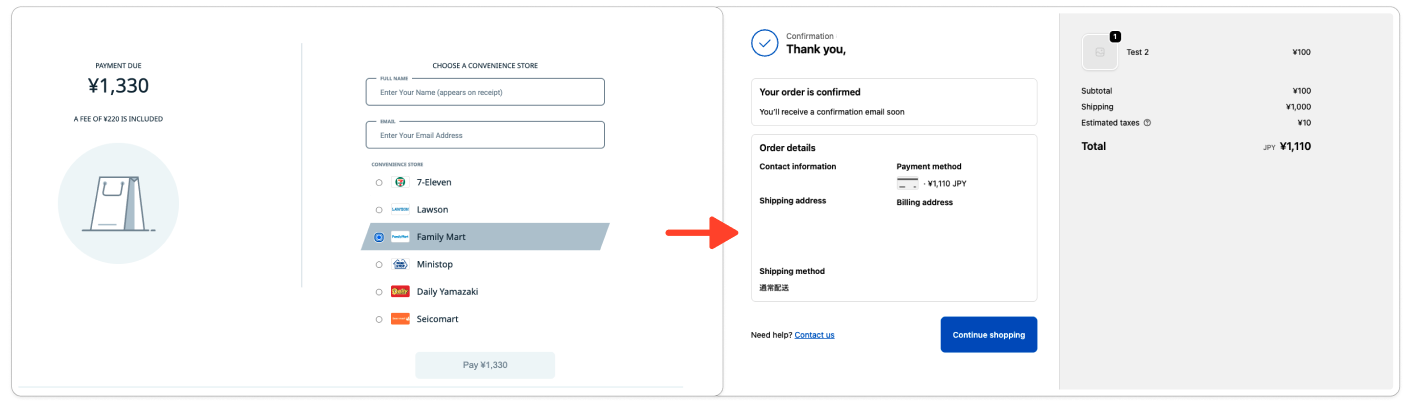
However, it is important to not that skipping the KOMOJU order completion page will bypass the on screen instructions provided for convenience store, Pay-easy, or bank transfer payments. While these instructions are still sent to the user’s provided email address, it is something that should be considered when enabling this feature.
Convenience store, Pay-easy, and bank transfers normally display payment instructions on KOMOJU’s order completion page. When you skip this page, customers will only receive instructions via email. Ensure customers know to check email for payment details.
Configuration steps
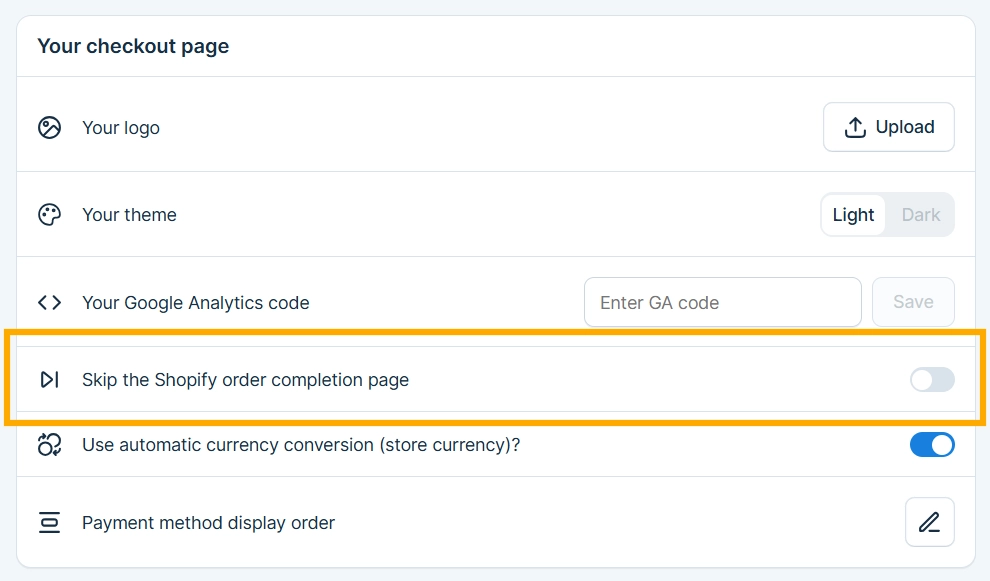
You can enable this feature via the following steps:
- Log in to your KOMOJU dashboard.
- Navigate to Settings.
- Locate the toggle labeled “Skip the Shopify order completion page”.
- Enable the toggle.
Oversell Protection
Oversell protection prevents selling more inventory than available.
It’s main use is to address the time gap between when a customer initiates payment and when the transaction completes. During this window, inventory can run out if multiple customers are checking out simultaneously.
This feature is often used to help mitigate inventory issues that occur during flash sales with limited inventory or high-volume sales events.
You can enable/disable Oversell Protection from your Dashboard. Please log in to you admin screen using an account with owner privileges, and navigate to Settings -> Shopify Setup to turn the feature on or off. This applies to all supported payment methods.
Requirements and behavior
It is important to note that the Oversell protection feature will not take affect when the if Shopify’s Inventory tracking feature is OFF or if the Continue selling when out of stock option is enabled.
KOMOJU does not automatically verify these settings. You must ensure your Shopify configuration is compatible before requesting oversell protection.
Supported payment methods
This feature can be used with the following payment methods:
- Credit card
- Convenience stores
- PayPay
- au PAY
- d払い
- 楽天Pay
Credit cards and convenience stores
When used with these payment methods, users will return to Shopify and see an out-of-stock message if inventory runs out before the customer clicks Pay on KOMOJU’s payment page.
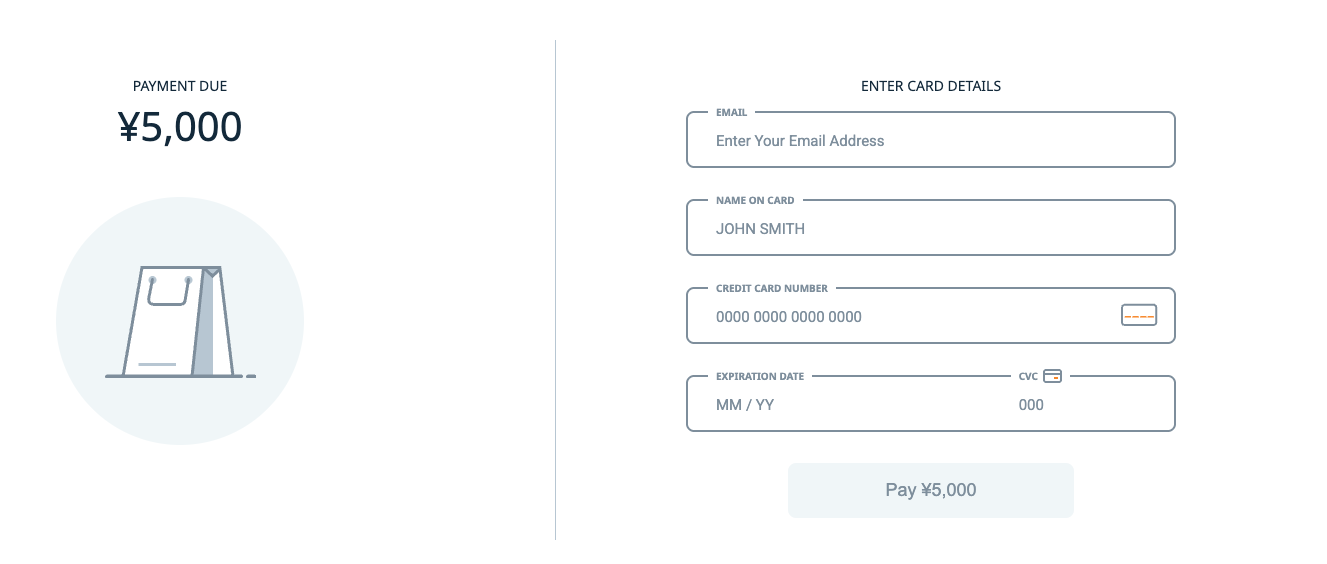
In these cases, no order or payment records are created on Shopify or KOMOJU.
For PayPay, au PAY, d払い, and 楽天Pay:
For digital wallets apps the checkout behavior can fall under two scenarios when using the Oversell Protection feature.
Scenario 1: Inventory runs out before clicking “Proceed [Payment App]”.
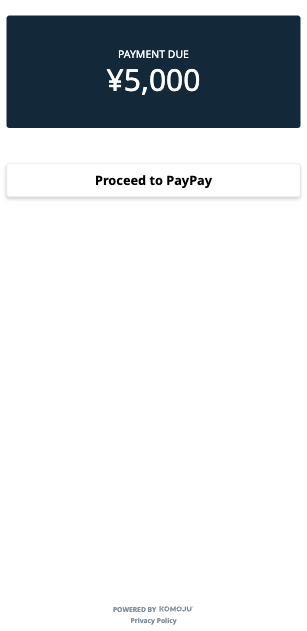
In this case, users will return to Shopify and see an out-of-stock message.
Scenario 2: Inventory runs out while on the payment app but before completing payment.
For scenarios like this, the payment will process once completed on the app but a refund will be created immediately. When this occurs, KOMOJU will create a payment record showing the auto-refund, but no Shopify order will be created.
No merchant action is required for these cases.
Payment Method Restrictions
Please ensure the you have read over the following restrictions prior to requesting Oversell access, as this feature cannot be used in these cases.
Credit card payments:
When using credit cards, your store needs to be setup to redirect to KOMOJU’s Hosted Page for this feature to take effect.
See our FAQ for redirection setups here for more information.
Smartphone payments (PayPay):
When using smartphone payments, you will need to have connected each app to your Shopify store separately as opposed to using the combined integration option.
See FAQ page for more information regarding connecting mobile payment methods.
What you learned
- Learned how to enable the “Skip the Shopify Order Completion Page” feature in your KOMOJU dashboard settings to streamline checkout.
- Learned how to request and configure Oversell Protection for your account to prevent overselling during high-volume sales events.
- Understood when to use each feature based on checkout flow preferences and sales patterns.
Updated 3 months ago